



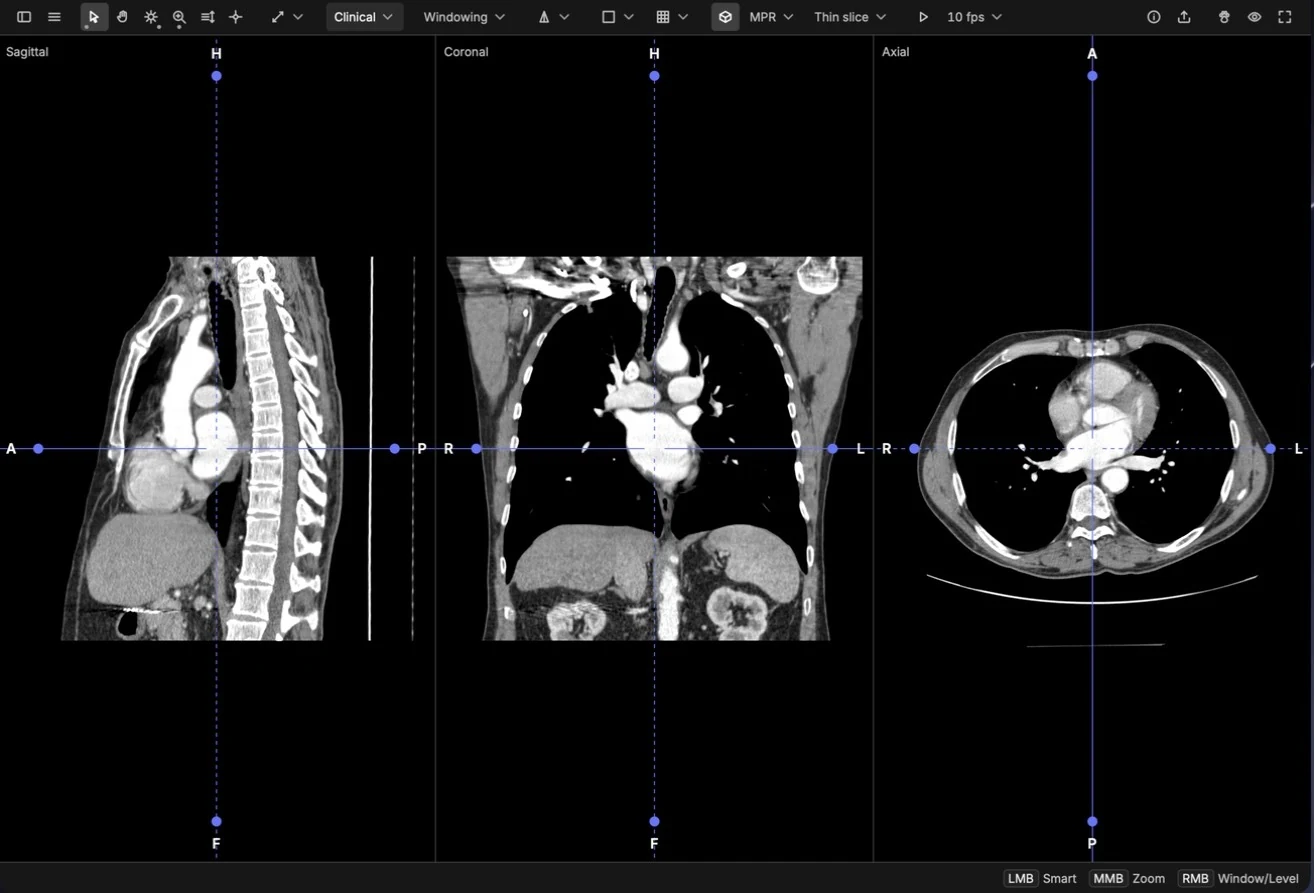
MPR in three planes
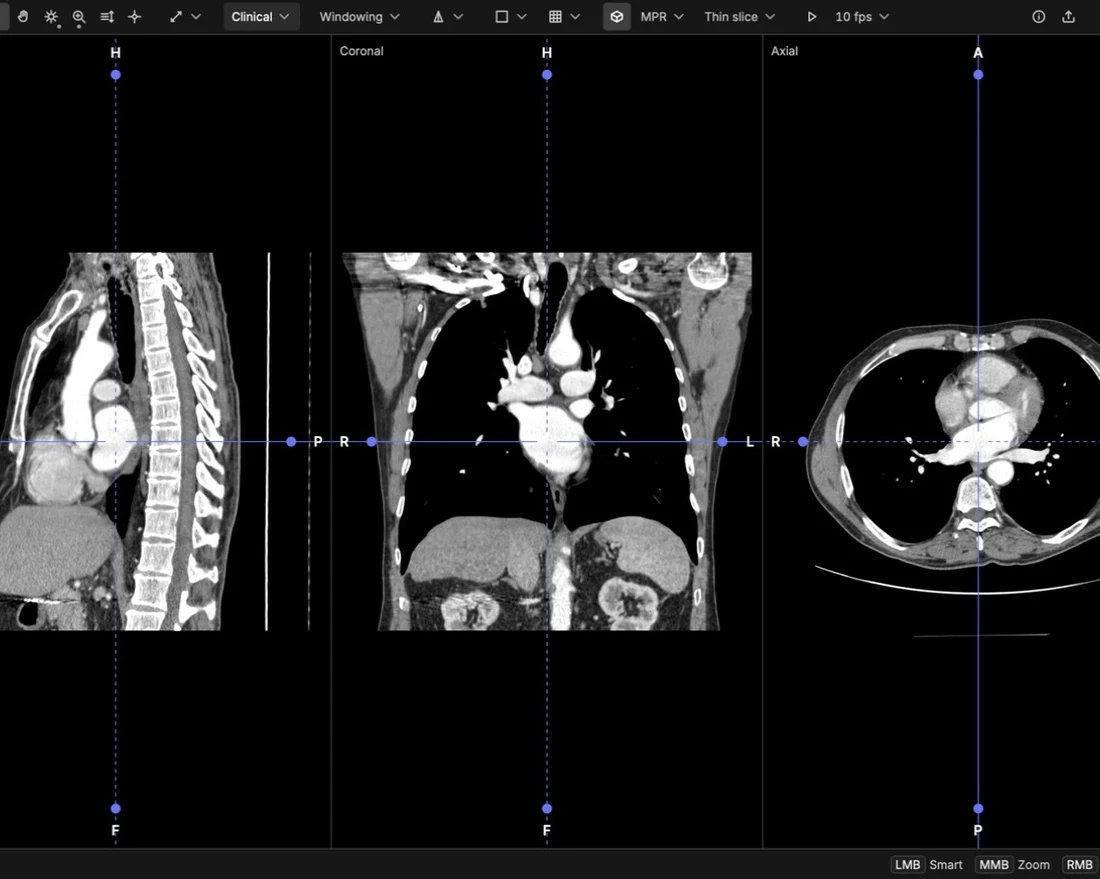
Sagittal, coronal and axial planes share one crosshair that marks the same point in all three. The mouse wheel scrolls slices in the plane under the cursor.
The M key turns the reformat on and off.
In Lite+ and Pro
Opens CT, MRI, X-ray and mammography from a disc, a USB stick, a folder or an archive, and in Lite+ receives them over the DICOM network. Runs on Mac, Windows and Linux with no internet, and your images stay on your computer.
In closed testing now.
The free Lite asks for no account and no key. The mouse wheel scrolls slices, and the common tools have their own keys.
We built it for doctors who open other clinics' discs and USB sticks every day, and for patients who need to look at their own images at home.
The interface is in English and Russian. Vasilek never changes the original files.
Every screen below was captured in the program itself, on the public LIDC-IDRI CT collection.
Sagittal, coronal and axial planes share one crosshair that marks the same point in all three. The mouse wheel scrolls slices in the plane under the cursor.
The M key turns the reformat on and off.
In Lite+ and Pro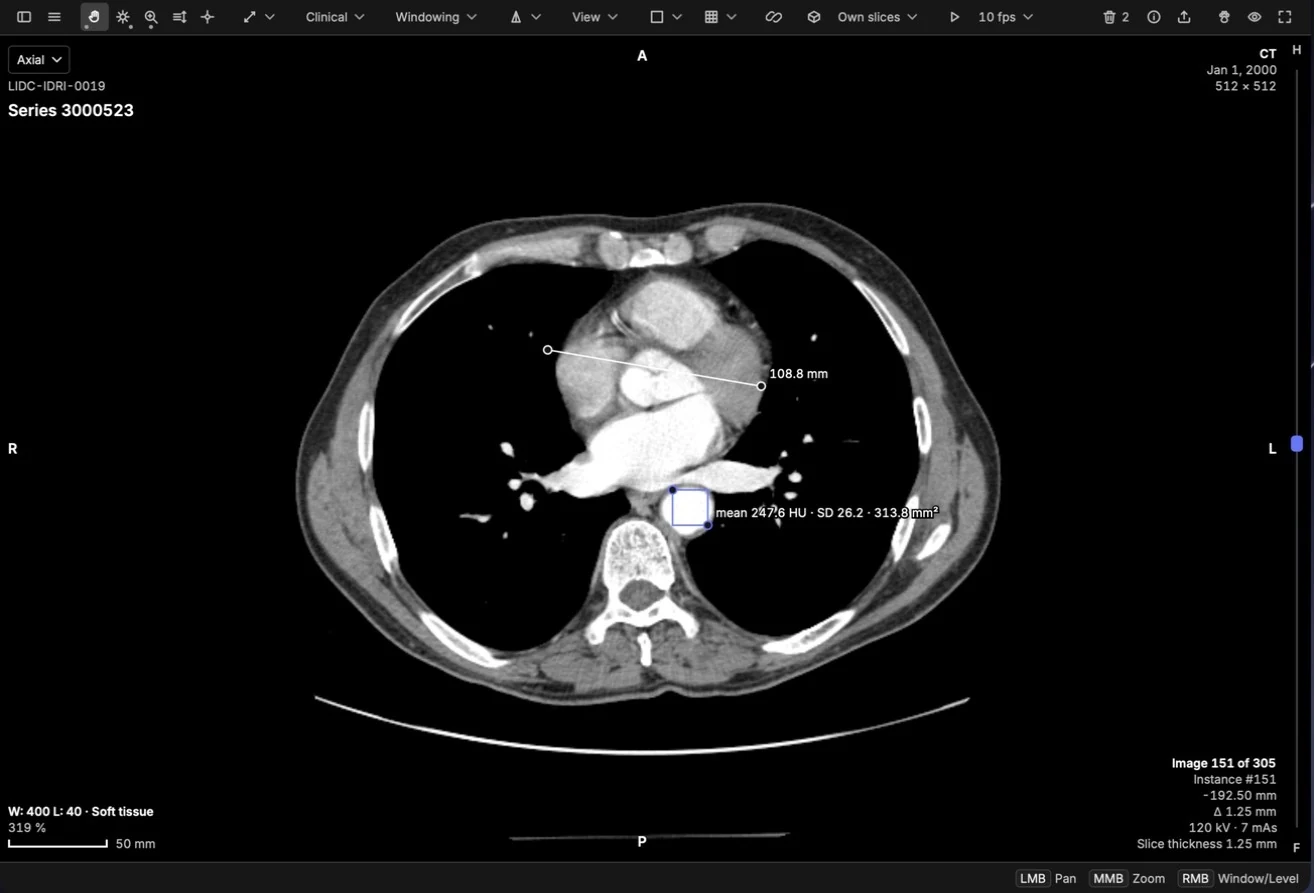
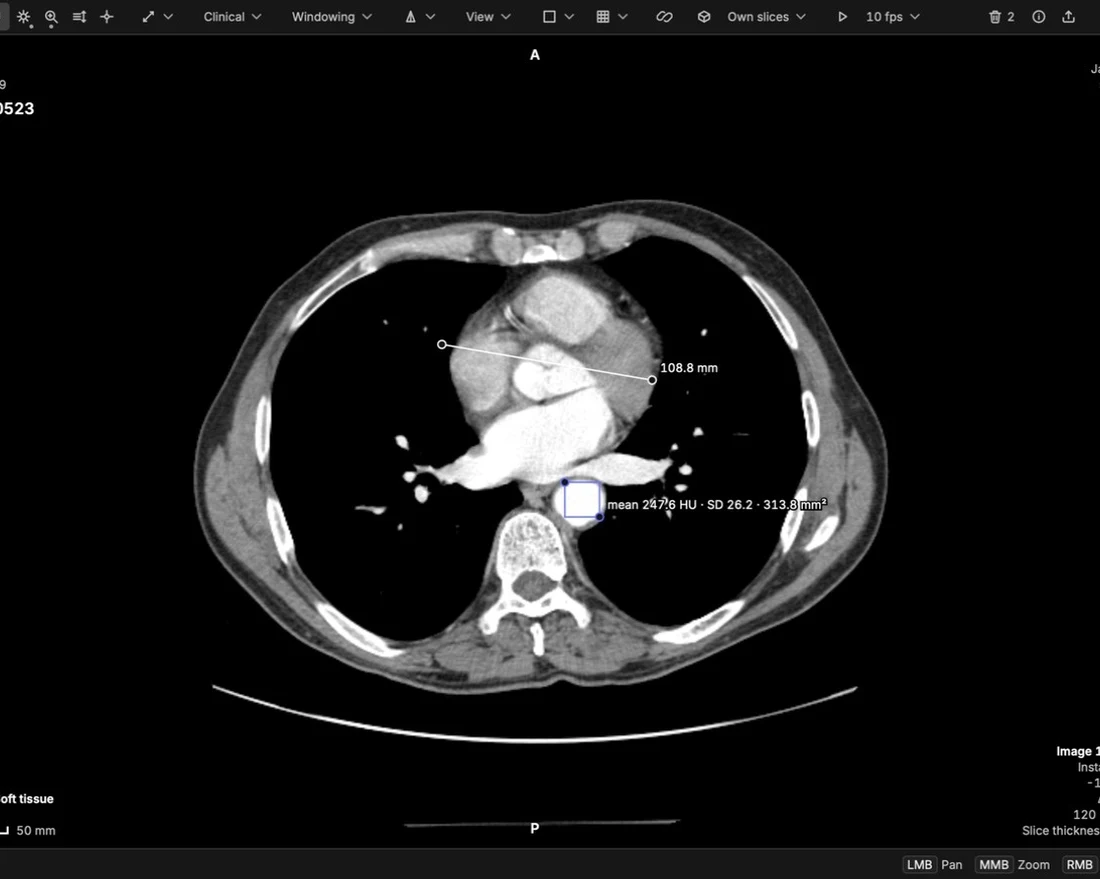
Ruler, angle, Cobb angle, rectangle, ellipse and freehand region. On CT a region shows its area, mean density in HU and the standard deviation. Measurements are for reference.
A label can be dragged away so it does not cover the anatomy. Arrows and text notes work the same way.
In every edition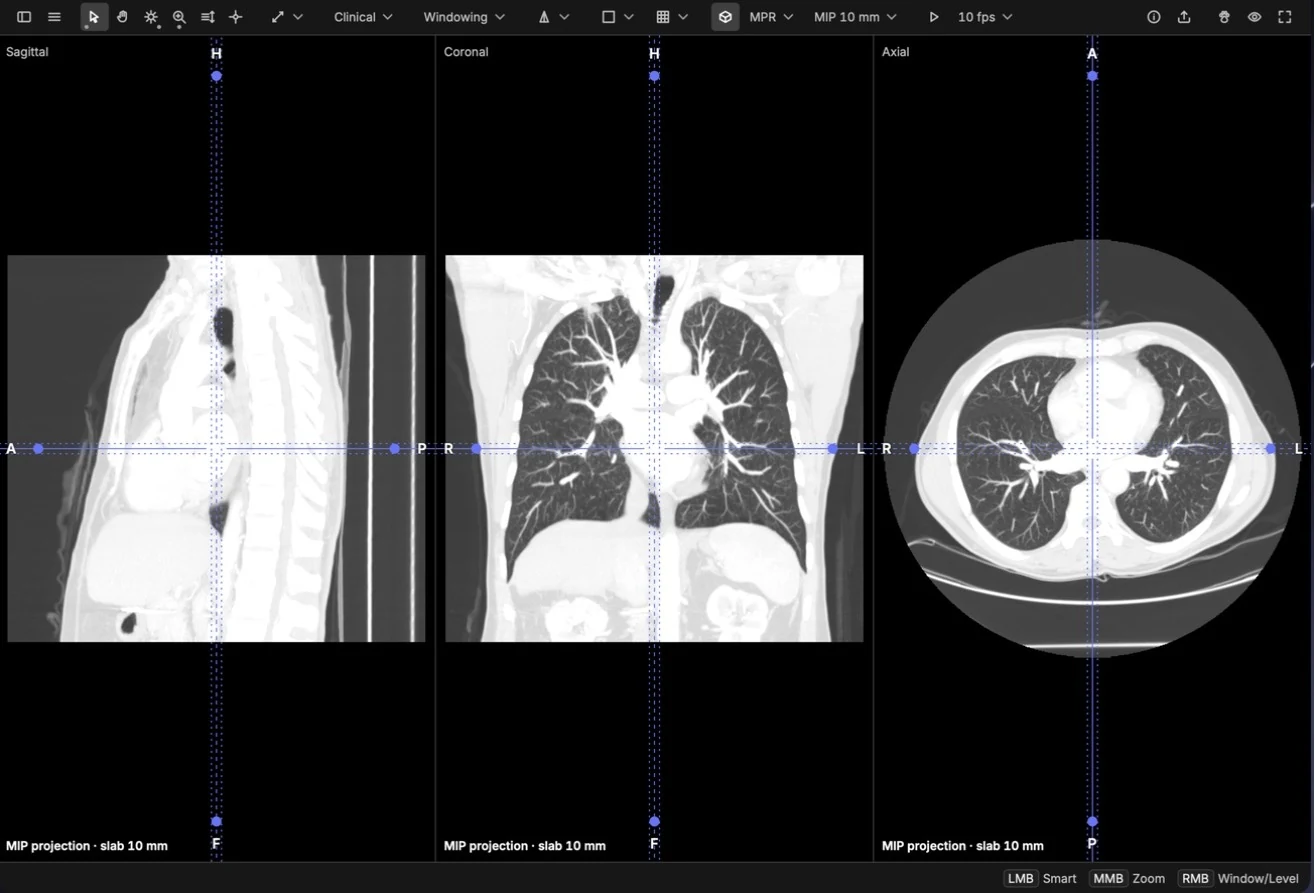
A slab of the thickness you choose is built from neighbouring slices in all three planes. Thickness and projection type change right on the toolbar.
In ProDrag with the right mouse button to set the window. Seven CT presets sit on the number keys, and R brings back the window stored in the file.
MRI images get a darker background by default. The “Darker MR background” item in the Windowing menu turns it off.
In every edition
Lite never goes online: no telemetry, no cloud, no update checks. Images stay on the computer and the original files are never changed.
Lite+ and Pro go online only to activate the license and to exchange studies with a scanner, PACS or printer if you set that up.
Lite is free. Prices for Lite+ and Pro will be announced at release.

A viewer for doctors and patients. No account, no key.
For an imaging room that receives studies and gives them to patients.
For an expert used to syngo or GE AW workstations. Pro has coronary calcium scoring, subtraction, thick slabs and PACS exchange.
Lite+ and Pro licenses are activated online or with a license file. Without a license the program works as Lite.

The Lite edition is free and needs no sign-up. Lite+ and Pro are paid; prices will be announced at release.
No. Lite never connects to the network. Lite+ and Pro go online only to activate the license and to exchange studies with a scanner, PACS or printer if you set that up. A license file activates them without a network.
No. Vasilek is not a medical device and is not intended for diagnosis. Measurements and calculations in the program are for reference only.
DICOM files with or without the .dcm extension, folders with a DICOMDIR, CDs and DVDs, and ZIP, TAR and tar.gz archives. Compressed images in JPEG, JPEG 2000, JPEG-LS and RLE, and multi-frame series.
In Lite+, point Vasilek at the folder where your previous viewer or workstation stores images. Vasilek uses it as its own image database, and new studies appear in the list within seconds. The folder can be on a network drive too.
Yes. Vasilek copies the disc to the computer and opens the copy, so slices scroll without waiting for the drive. If a copy of that disc is already on the computer, it opens at once.
It is in closed testing now. Leave your contacts in the form below and we will write when the first version is out.
Write to us if you want to join the closed test, hear about the release, or talk about Lite+ and Pro for your clinic.

Message sent. We will get back to you.